






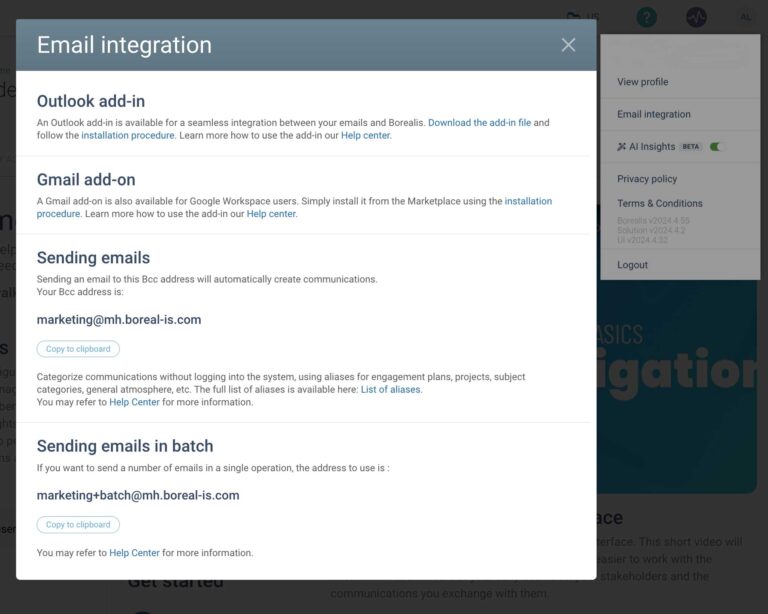
Email integration
Feed data into Borealis right from Outlook or Gmail
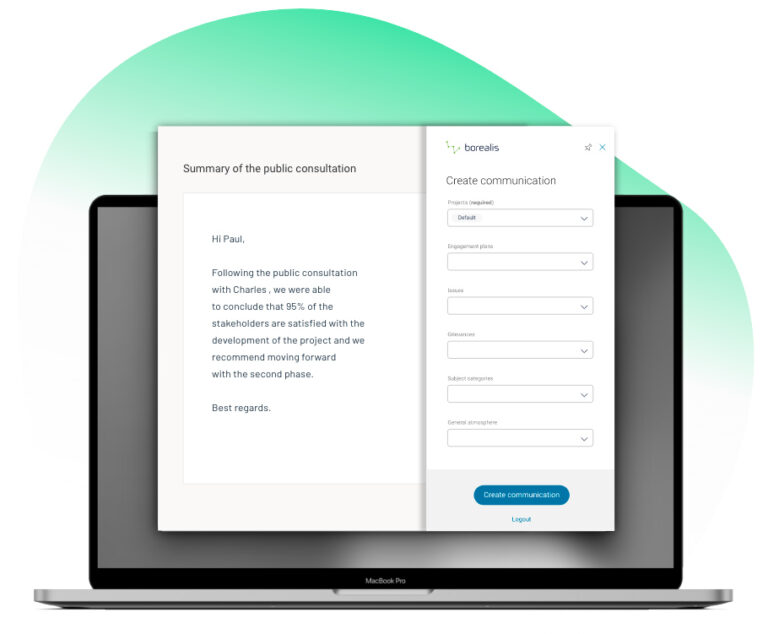
Email integration lightens your load, making it easy to record and categorize emails and calendar items in Borealis without leaving your email environment.
SAVE TIME WHILE ENSURING DATA IS COMPLETE & UP TO DATE
The Outlook and Gmail add-ons greatly simplify the task of entering emails and calendar items – like meetings or calls – in Borealis. And because the add-in you need is always visible in your email application window, it acts as a great reminder to save your communications in Borealis.
Minimize tedious tasks & reduce the risk of errors
Easily categorize all sent & received emails and calendar items. In just a few clicks, they’ll be recorded in exactly the right spot in Borealis.
- Record all participants who attended a meeting in one quick step.
- Process emails in batch.
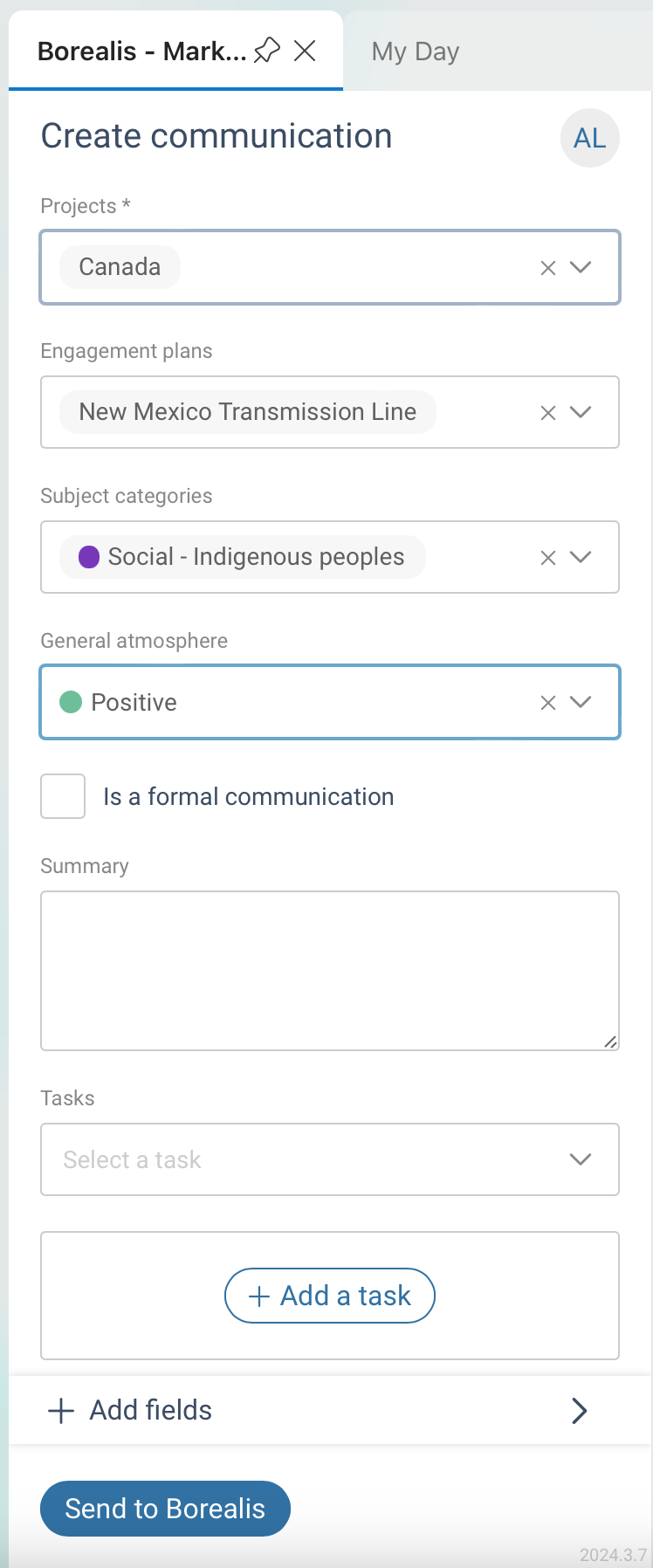
- Categorize emails and events to easily identify issues, categories, and sentiments.
- Link emails to engagement plans and assets to provide a real-time view of conversations happening on the ground.
Follow up without leaving your Inbox
Streamline your workflows to improve efficiency and focus by managing tasks and communications in one place.
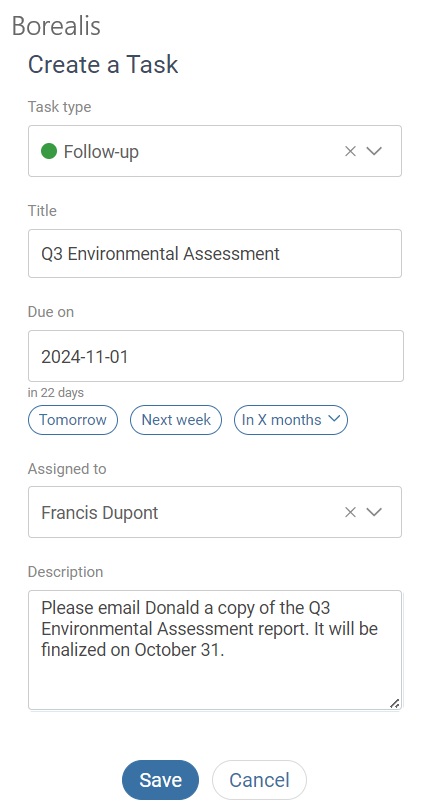
- Seamlessly create and assign follow-up tasks right from an email.
- Document any complaints you receive by email and begin tracking them through your grievance process.
- Find a previous message recorded in Borealis without leaving your email environment.
Keep sensitive data secure
Our email integration add-ons incorporate the same data security practices used by the Borealis software itself. What’s more, it’s not linked to any other add-on, so it will not cause conflicts.
- Users must be logged in to Borealis and have access to use the add-ons.
- Users will only be able to access the records they can view in the web application.
- Only open emails can be accessed by Borealis and only if the add-in is open.
Flexible & easy set up
Email integration can be set up quickly by your IT team or by individual users themselves.
- The add-ons can be installed for all users, or just for those who want to use them.
- Using the add-ons makes entering your communications a breeze, without slowing Outlook or Gmail down.
- When you install the Outlook add-in on your Microsoft account, it will automatically be added for both the web and mobile versions of Outlook.
Ready to get started? Check out these step-by-step instructions:
Play Video about borealis-outlook-add-in
SAVE TIME AND KEEP YOUR DATA CLEAN & COMPLETE
Installing the Outlook add-in
Installing the Gmail add-on
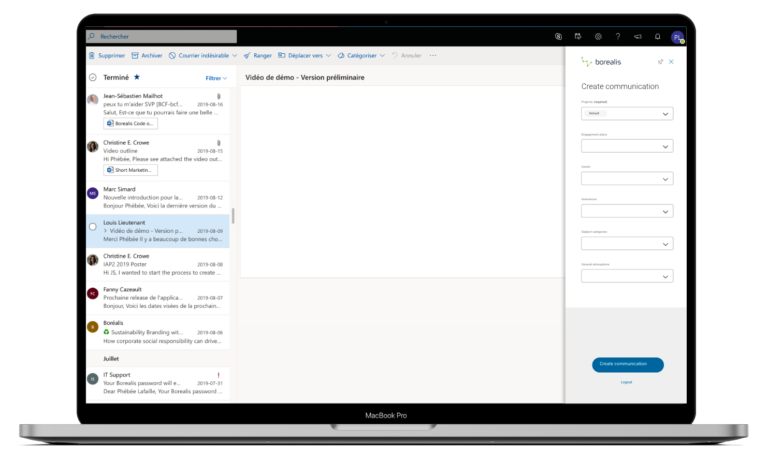
Email integration is one of the many time-saving features in Borealis
Borealis software is packed with user-friendly features that save time and minimize workload, so teams can focus on building trusted relationships with stakeholders, not managing data.

Contact us
Find out how Borealis stakeholder engagement software can help you improve all aspects of stakeholder management.