Apps and tools Borealis integrates with
We believe in doing what we do best: helping you build trusted relationships and stay compliant. But we also know that some tools are better suited for specialized tasks. That’s why Borealis plays nicely with the rest of your tech stack – from email to GIS to CRMs and more. The result? Smoother workflows, better data, and more time for what matters.
Connect the dots across your workflows
Email integration
Microsoft Teams Integration
Chrome extension
U.S. Database of Government Officials
Mailchimp
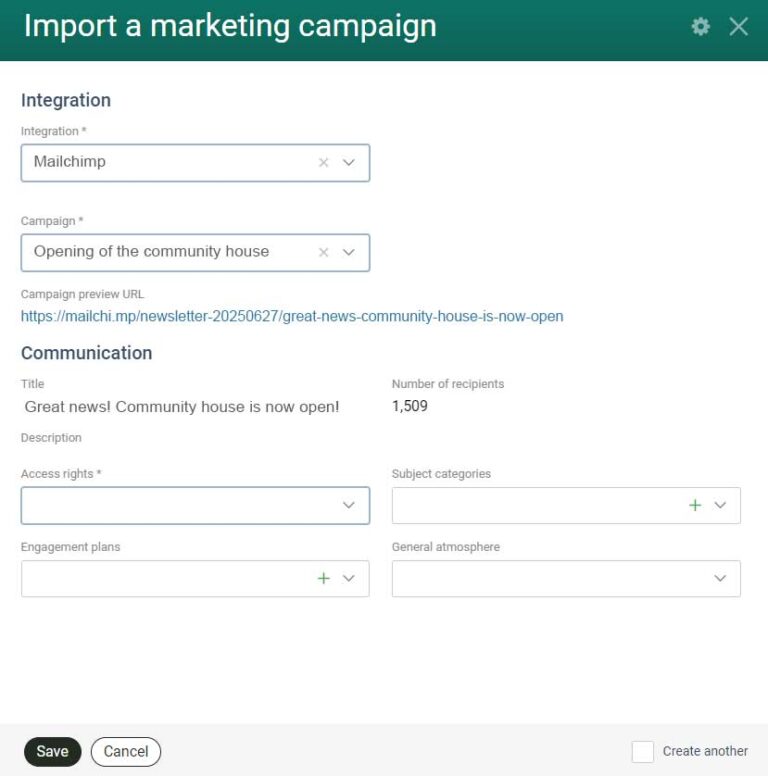
Keep your stakeholder database and outreach efforts aligned –automatically. With our Mailchimp integration, you can both import campaign results into Borealis and send stakeholder lists crafted in Borealis to Mailchimp for your next newsletter.
- Import campaign details and match recipients to stakeholders
- Send stakeholder distribution lists from Borealis directly to Mailchimp
- Centralize your engagement history and ensure no touchpoint is missed
Salesforce (under development)
Bridge the gap between CRM and stakeholder engagement by syncing contact data and communications across both systems. Everyone works from a single, up-to-date source of truth.
- Eliminate duplicate data entry and prevent data silos
- View contact info and last interactions across both systems
- Update outdated records in Borealis using data from Salesforce
GIS Data Integration
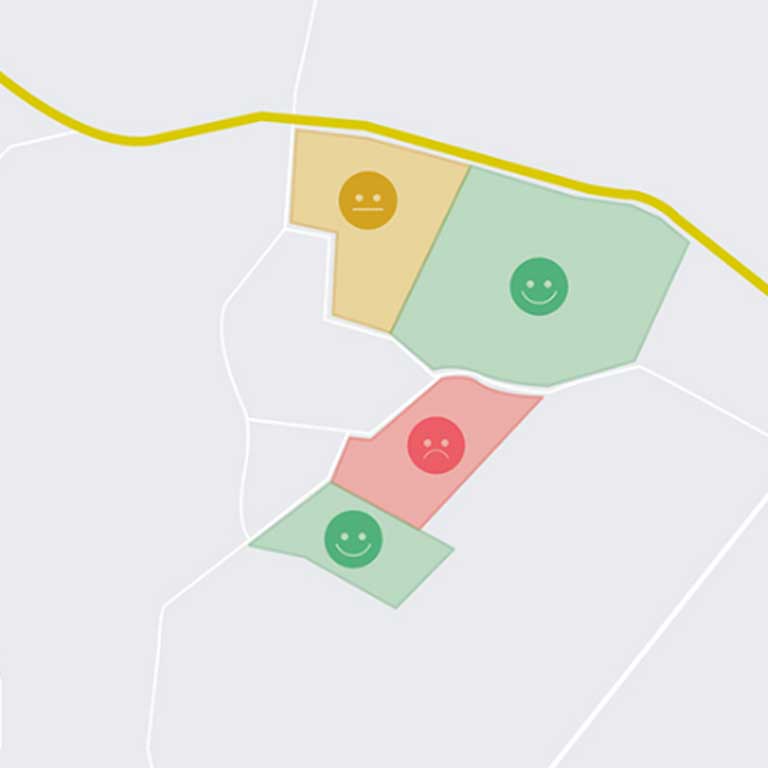
Borealis works both ways with your GIS. Bring external map data straight into Borealis, and publish your Borealis spatial data back out to the tools your teams already use—so everyone works from the same, current picture, without manual exports or one-off conversions.
Bring external GIS data in
- Connect ArcGIS Feature Services, OGC WFS, and file-based sources (Shapefile, KML/KMZ) to see your organization’s spatial data directly on Borealis maps, alongside your records.
- Overlay external layers—networks, assets, constraints—with your Borealis parcels, issues, and stakeholders
- Click features to explore their attributes, or query layers spatially to scope a project or assess impact
Publish Borealis data out
- Use the Web Feature Service (WFS) connector to make Borealis spatial data instantly available in ArcGIS, QGIS, or any other geospatial tool—eliminating manual exports and giving field teams real-time visibility when it matters most.
- Publish Borealis parcels, issues, and agreements as live map layers to ArcGIS
- Reduce back-and-forth between platforms and improve collaboration
- Stay in control of exactly what’s published, for a clean and actionable view
Authentication & authorization tools
Keep sensitive stakeholder data protected while giving users secure, seamless access. Borealis integrates easily with your existing IT policies and identity systems—no friction, no extra logins.
- Compatible with Microsoft Intune and MSAL for secure mobile access
- Supports SAML and SCIM protocols for authentication and authorization
- Offers flexible setup with multiple identity sources
For everything else,
there’s our API
Microsoft 365
Finally, a complete picture of your stakeholder communications. With the Borealis Microsoft 365 integration, emails and meetings are captured automatically—so managers no longer need to chase team members to log conversations. The result? Reliable engagement histories, stronger reporting, and fewer surprises that could impact your projects. Flexible sync controls also ensure sensitive information stays protected.
- Gain confidence with complete, accurate records
- Strengthen reporting and team collaboration
- Adapt synchronization rules to your compliance needs
SECTION 3 –
INFOGRAPHIC Image
Smarter workflows,
proven outcomes
Visualize landowner outreach across platforms
Streamline communications and engagement tracking
Identify and register new stakeholders in seconds
A community liaison officer finds potential stakeholders listed on a government website. With the Chrome Extension, they instantly create complete stakeholder records in Borealis.
Smarter workflows, proven outcomes
Visualize landowner outreach across platforms
Streamline communications and engagement tracking
Identify and register new stakeholders in seconds
Need help planning your integration strategy?
Our Customer Success team can help identify the best integrations for your workflow. Whether it’s CRM, GIS, email, or online engagement, we help you centralize what matters and keep everything (and everyone) aligned. Let’s build smarter processes together.